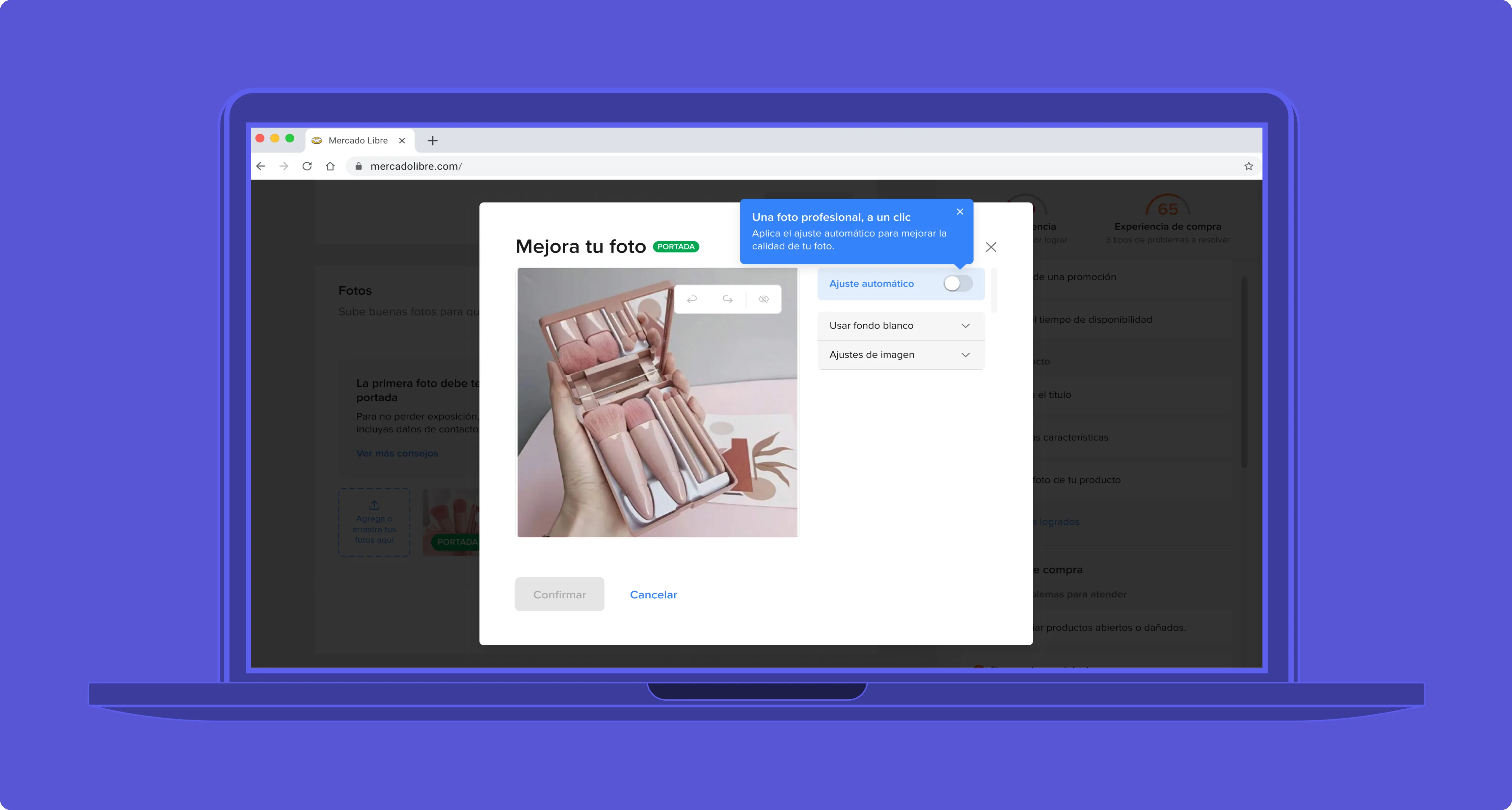
01 - The context
Detection was solved. The seller experience wasn't.
By late 2023, Mercado Libre had the moderation problem solved on the detection side. The system blocked photos that violated policies. What it didn't have solved was the next step: what the seller did after the block.
Google's Gemini Nano changed the math. Running fully on-device, no external server, no upload latency, no privacy tradeoff, the model could process a seller's photo in real time.
MeLi's image moderation organized violations under two categories: PQT (Poor Quality Thumbnail) flagged the main listing photo, PQP (Poor Quality Photo) flagged gallery images.
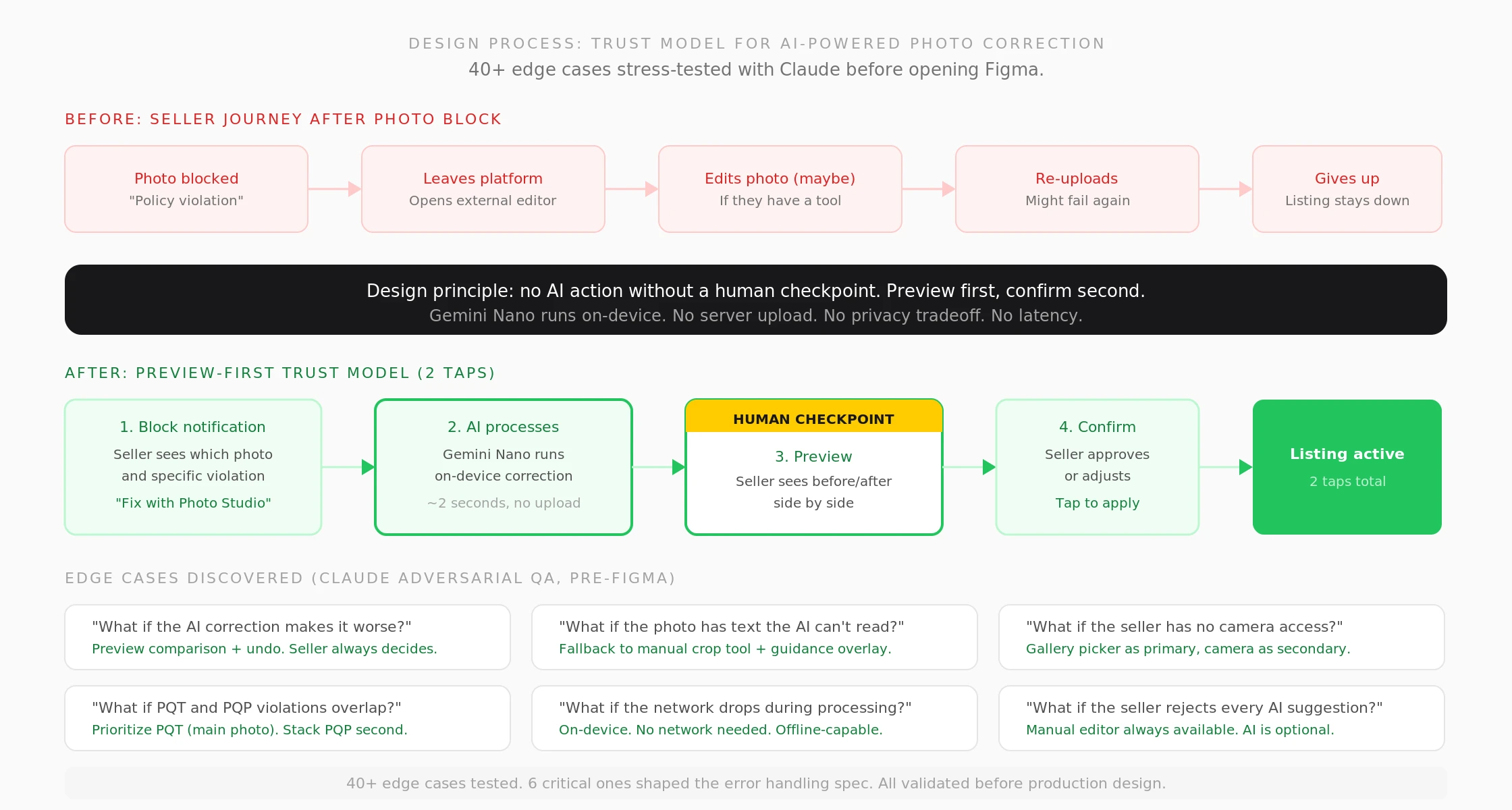
Trust model design. Before: seller leaves platform to fix photos externally. After: preview-first AI correction in two taps. 40+ edge cases stress-tested with Claude before opening Figma.
02 - The problem
In a two-sided marketplace, a broken seller experience is a broken buyer experience.
Sellers who received a block notification generally understood what the platform was asking. The problem was tooling. Getting a correct white background required a photo editor the typical MeLi seller didn't have, didn't know how to use, or didn't want to pay for.
The path from "your photo doesn't comply" to "your listing is active" went outside the platform, and most sellers didn't complete it.
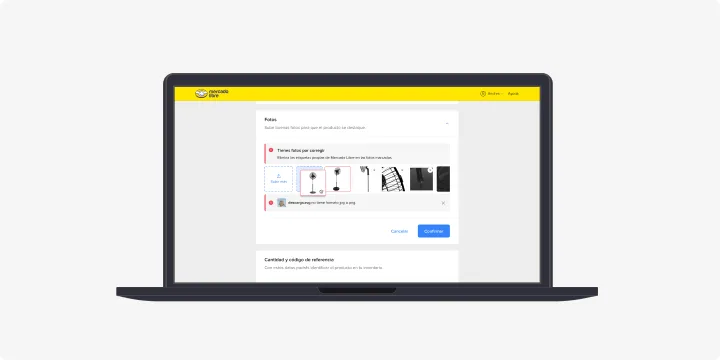
The before experience. Seller gets blocked, leaves the platform to find an external editor, may or may not come back.
03 - What I did
Designing trust into an AI-powered tool
I set the design direction for how AI-assisted content correction should work at MeLi's scale. Before opening Figma, I used Claude to stress-test the interaction against 40+ edge cases. That session defined the error states, the fallback logic, and the non-negotiable: no AI action without a human checkpoint.
1. Mapped the entry points: blocked listing view, listing creation flow, push re-notification.
2. Designed the core interaction: auto-correction flow with preview. Gemini Nano processes the image and presents a corrected version. The seller sees it before confirming.
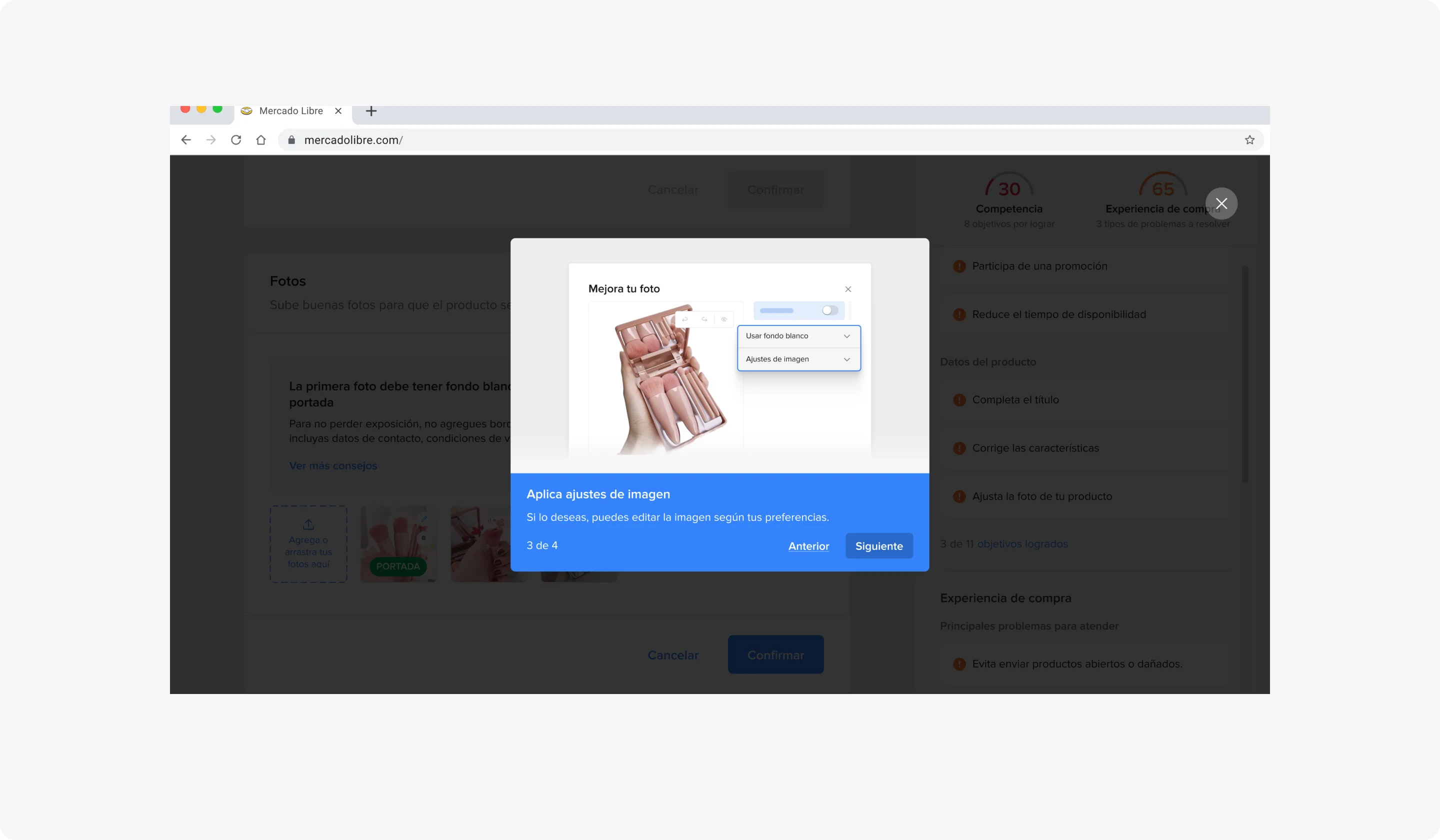
3. Designed specific flows for each editor capability: background removal, resolution upscaling, watermark/text/logo removal.
4. Worked the cross-platform experience. Mobile flow was primary; web kept same interaction logic.
5. Built the Figma file with auto-layout components for every editor state: loading, processing, preview comparison, success, error, fallback to manual, and offline mode. Each state documented with behavior notes so engineering didn't need to ask what happens when the AI fails.
6. Prepared the complete handoff before leaving in April 2024. Behavior contract, component spec, and edge case matrix. The team shipped without a single clarification round.
7. Used AI tools to accelerate validation. Claude for adversarial edge case simulation before production design.
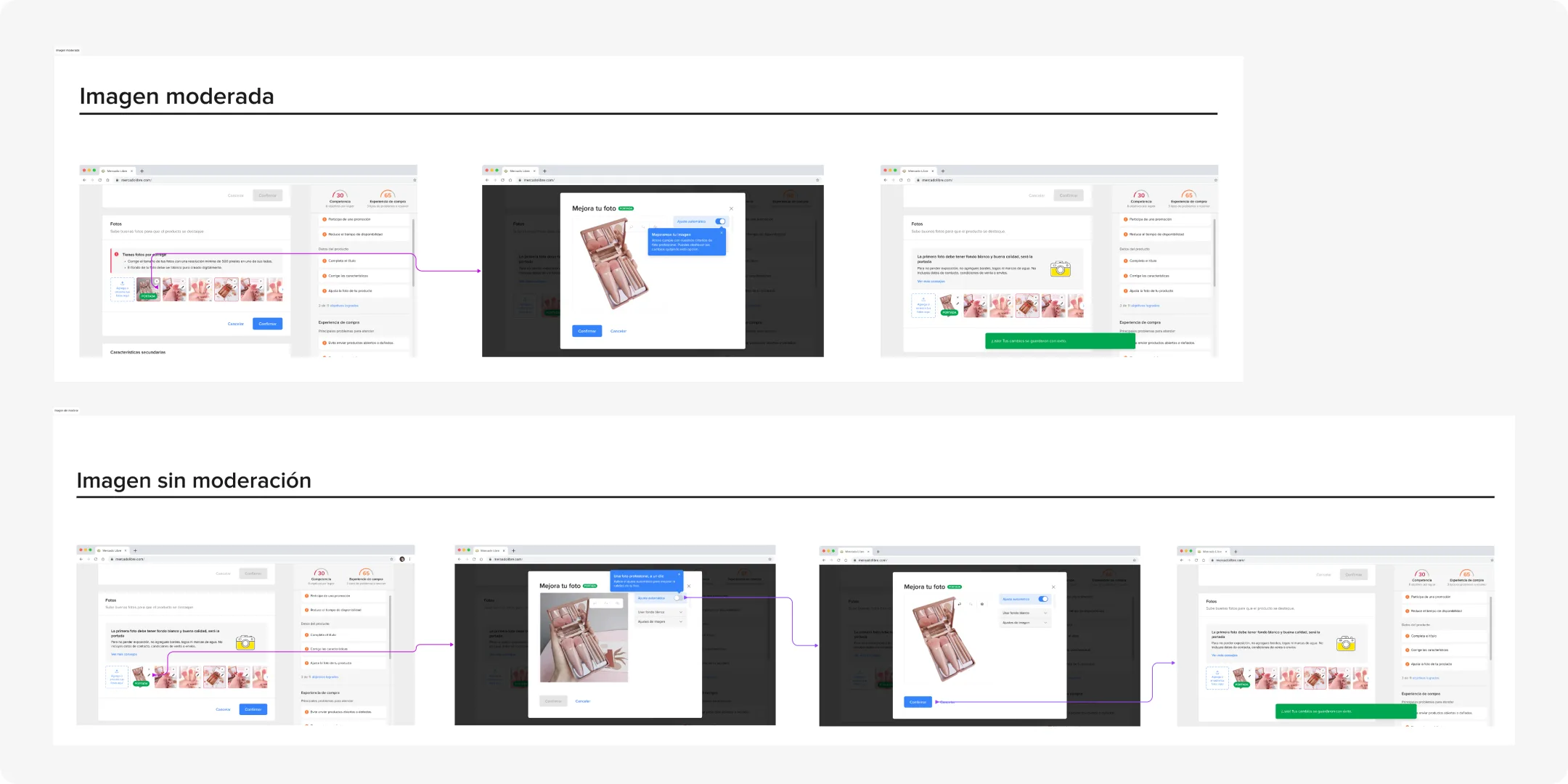
Three entry points. Blocked listing, creation flow, and push re-notification. Each path leads to the same editor.
04 - Process artifacts
From framework to product
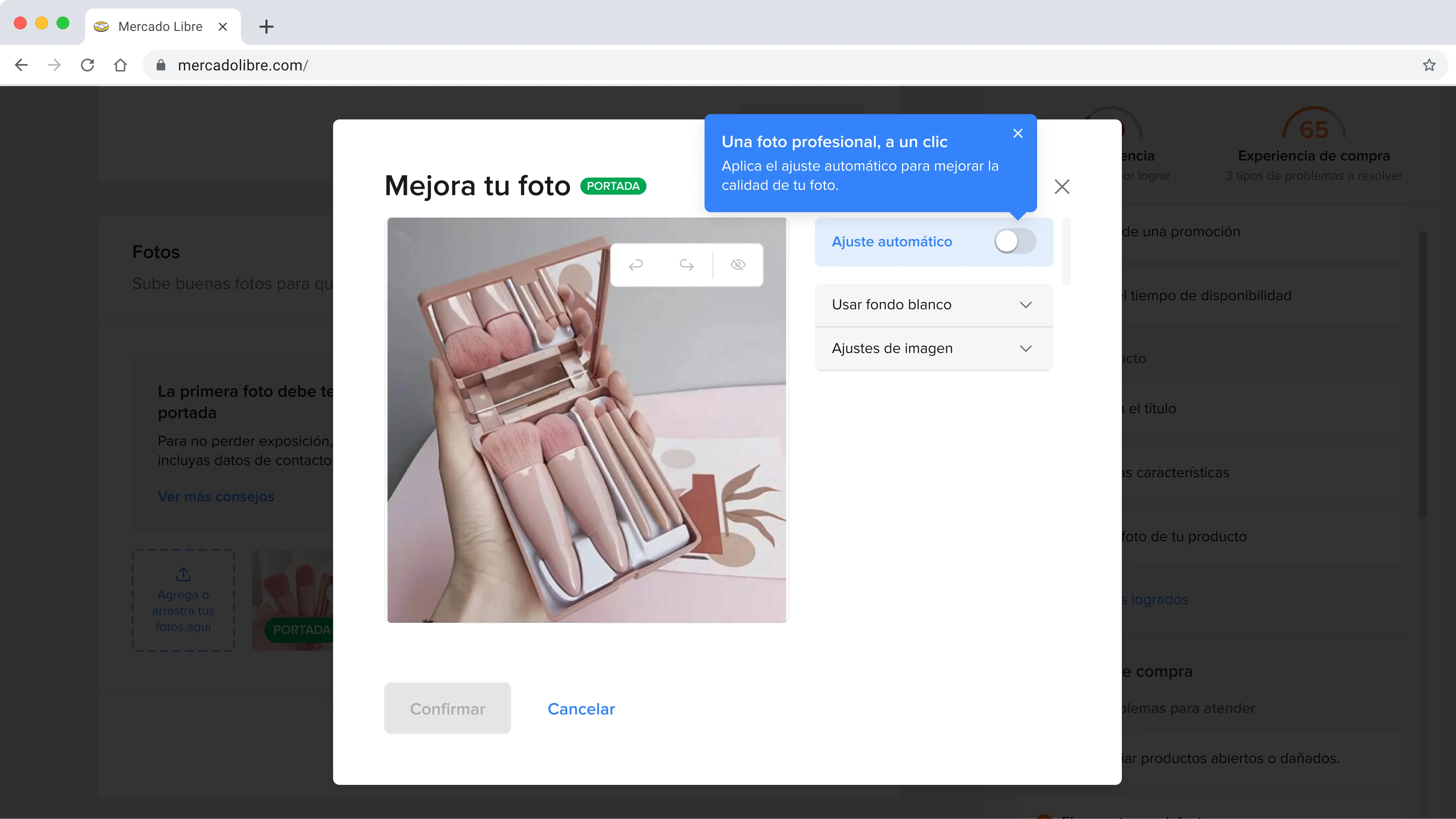
Guided walkthrough. Tooltip-driven onboarding explains each editor capability on first use.
Auto-correction with preview. Gemini Nano processes on-device, presents the result. Seller sees before/after, then confirms.
05 - The solution
An integrated editor, scoped to the problem
Photo Studio integrated a photo editor directly into the MeLi seller account, available on web and app (iOS/Android). The seller receives the block notification, opens the editor from the same listing, Gemini Nano processes the image and presents a corrected version, the seller confirms or adjusts, and the listing becomes active. Two taps in the most direct case.
The editor covered PQT violations (automatic white background replacement and resolution upscaling) and PQP violations (watermark, text, and prohibited logo removal).
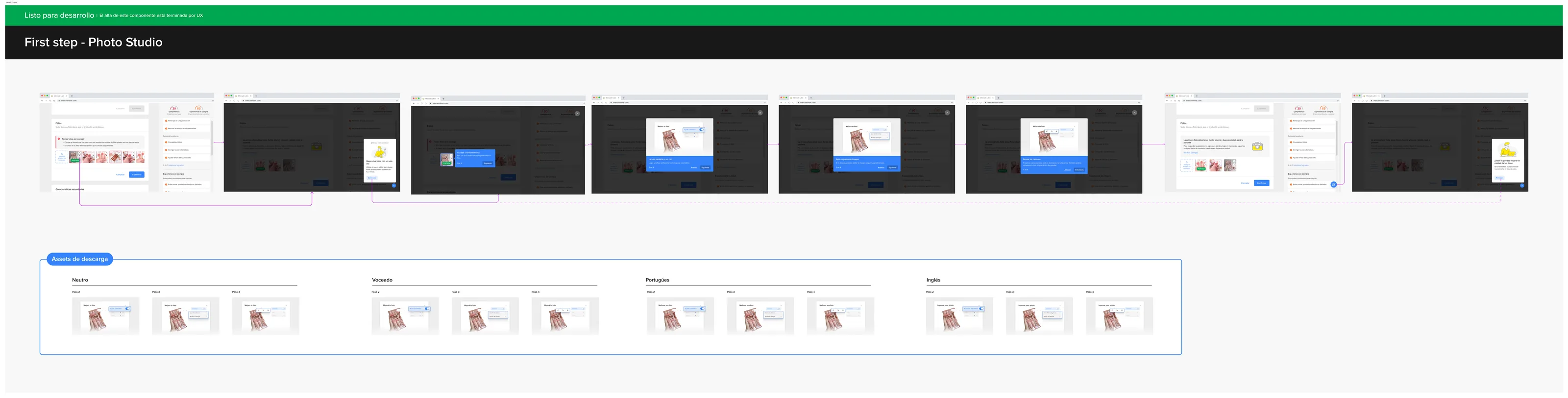
Handoff spec. Complete component layout, interaction states, and behavior contract delivered before leaving the team.
06 - The result
Shipped at scale, preview-first model intact
Photo Studio launched publicly after I left MeLi in April 2024. MeLi's own seller data shows that improving listing photos drives 15-30% revenue increases per seller.
The design I handed off is what shipped. The preview-first trust model held in the final product.
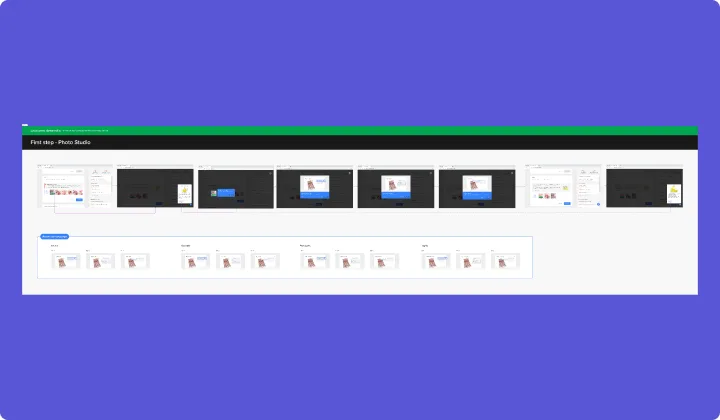
Shipped product. The preview-first trust model held in the final product. The design I handed off is what launched.
07 - What I learned
Modifying someone's work is a trust problem first
I came in expecting integration design to be the hard part. It turned out to be something quieter: figuring out what AI-driven UX actually means when the AI is modifying something the user made.
Sellers don't think of their product photos as data. They think of them as their work. The preview-first model set a clear relationship: we can improve this, but you decide.
Designing for sellers across 18 countries and wildly different levels of tech literacy meant the editor had to work for someone who has never used a photo editing tool. The interaction had to be understandable without reading a label. That constraint shaped every screen.
08 - Decisions not made
What I chose not to build
1. I didn't design a full editor with manual image controls. The scope was specific: three types of policy violation. A general editor would have diluted the message.
2. I didn't design the auto-correct flow without preview. Removing the preview step would have sped up the flow by two seconds and ruined trust permanently.
3. I didn't design the listing creation flow as the primary entry point. Prevention vs. correction is a different product with different logic.